


ActionDirector - Video Editing
4.55.14K Reviews
App Specs
- Version
- 7.12.5
- Updated On
- License
- Free
- Downloads
- 10,000,000+
- Developer
- Cyberlink Corp
- Categories
- Video Players & Editors
- Platform
- Android
Screenshots
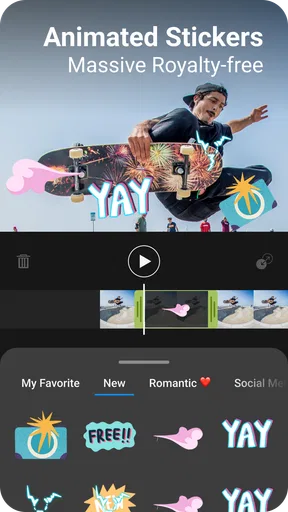
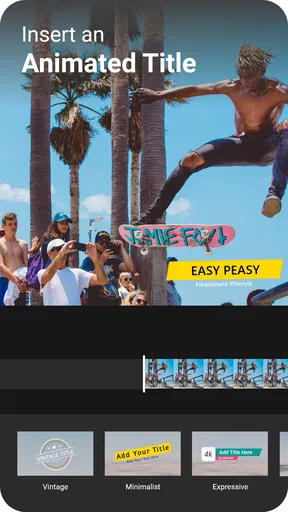
 Analysis by AppCompare
I tend to judge a phone video editor by one practical question: can I turn a handful of clips into a watchable story without spending longer wrestling with the controls than shaping the video? That is the kind of job ActionDirector is built for. It comes from Cyberlink Corp, a developer with a focus on multimedia software, and it puts editing tools close at hand for people who want to work directly on a phone rather than move every clip to a computer first.
Why speed changes the editing experience
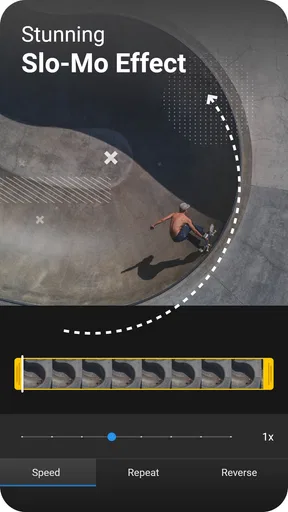
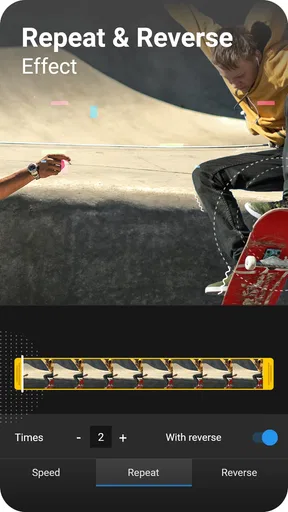
The most useful angle here is how quickly you can alter a clip’s pace. Slow motion can give a brief action a little room to land; fast motion can compress a stretch of waiting or movement into a livelier beat. These are not just decorative effects. Used with intention, they help control what the viewer notices and how long a moment feels.
For example, a short clip of a friend making a tricky shot might benefit from a slower section right at the moment of impact, while the walk back to collect the ball can be sped up. I would keep the effect focused on a particular moment instead of applying it everywhere. If every clip changes speed, the result can feel more like a demo of editing tricks than a coherent memory.
Making a small project feel deliberate
A useful workflow is to begin by choosing the moments that carry the story, then trim away the pauses around them. After that, adjust the pace where it genuinely adds emphasis. Only once the sequence reads clearly would I spend time on color, transitions, or music. This order matters on a phone: it avoids polishing footage that may later be cut, and it keeps the project manageable when you are editing between other tasks.
Color adjustments can also solve ordinary recording problems. If one clip looks noticeably darker than the next, a modest brightness or contrast change may make the cut less distracting. I would resist pushing saturation simply because the slider is available; strong color can make skin and familiar places look unnatural. The goal is consistency, not an artificial “professional” finish.
Audio deserves a similar check before export. A music track can help connect several short clips, but it should not drown out speech or the sound that makes the scene recognizable. For a quick tutorial or personal update, a voiceover may be more useful than music because it explains what the viewer is seeing. I would listen through the finished sequence once before sharing, especially if clips were recorded in different places with different background noise.
Getting Started with ActionDirector
First things first, downloading and installing ActionDirector was a breeze. It's available on both Android and iOS, so no one gets left out of the fun. The app's interface is sleek and intuitive, which means you won't be scratching your head trying to figure out what does what. I love how everything is laid out clearly, so even if you're not a tech whiz, you'll feel right at home.
Worth Reading Before You Choose

EA SPORTS FC Mobile 26 Is a Bigger Football Game, but It Takes Time

Flipboard Shows What News Apps Must Do Beyond the Feed

Switching to Android Auto Means Rethinking Your Driving Routine

Google Calendar Makes a Crowded Week Easier to Manage

Ludo King Makes the Most of the Minutes Between Plans

Baby Panda World Brings Quick Play to Modern Phones, but Its Game Library Feels Busy
Features That Stand Out
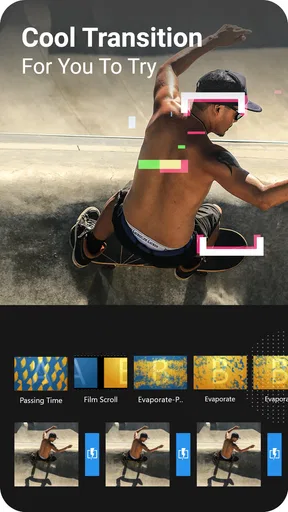
The moment you open the app, you're greeted with a range of editing options. Whether you're looking to trim a video, add some snazzy effects, or throw in some transitions, ActionDirector has you covered. One feature that really caught my eye was the ability to add slow-motion and fast-motion effects. It's perfect for those dramatic scenes or quick-action sequences.
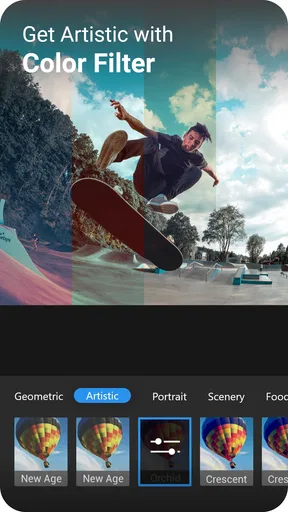
Another aspect that impressed me was the color correction tools. You can adjust the brightness, contrast, and saturation to give your videos that professional touch. Plus, the app offers a variety of filters to play around with. Who doesn't love a good filter, right?
Sound and Music
No video is complete without some killer soundtracks or sound effects. ActionDirector lets you add music straight from your device or choose from its library. Syncing the music with your video clips is super straightforward, and you can even adjust the volume levels to get everything just right.
One thing I found particularly useful is the voiceover feature. If you’re working on a vlog or a tutorial, this is a game-changer. You can easily record your voice and add it to your video, making it more engaging and personal.
Exporting and Sharing
Once you're happy with your masterpiece, exporting it is a piece of cake. The app supports up to 4K resolution, which is fantastic if you're aiming for high-quality output. Sharing your videos on social media platforms like Instagram, YouTube, and Facebook is seamless, and the app provides options for direct uploads.
There's also an option to save your projects directly to your device, which is handy if you want to keep a personal archive or share it later.
Overall Experience
After spending some quality time with ActionDirector, I can confidently say it's one of the best video editing apps out there, especially for mobile devices. The combination of powerful editing tools, user-friendly interface, and high-quality output makes it a must-have for anyone serious about video editing.
Whether you're a beginner just starting out or a seasoned pro, this app offers something for everyone. It’s a fantastic tool to have in your creative arsenal, allowing you to unleash your inner filmmaker without the need for expensive equipment or software.
So, if you're looking to level up your video editing game, give ActionDirector a try. Who knows, it might just become your go-to app for all your video projects!
A realistic phone-editing session
Picture an ordinary weekend outing: I have a few clips of a walk, a quick burst of activity, and a short comment recorded afterward. I would first bring the clips into a simple sequence, remove the dead time, and use a speed change only on the brief action. Then I would make small brightness adjustments if the shots look uneven and add a voiceover if the raw sound does not explain the moment well. That is a practical use for the app: shaping a small story while the footage is still fresh, rather than turning the outing into a complicated production.
For this kind of edit, the key decision is not which effect to use but what to leave out. A transition between every clip can make a short video feel busy, while a clean cut often keeps attention on the event. I would also keep an untouched copy of important source footage before experimenting, so the edit stays low-pressure and I can revisit the original if a creative choice does not work.
Where it sits among mobile editors
Compared with editing in a social platform, a dedicated editor is a better fit when I want to arrange clips, adjust their pace, and check the whole sequence before posting. In-app social tools are convenient for quick captions or a post made on the spot, but they are usually tied to the publishing flow. ActionDirector makes more sense when I want to prepare a video first and decide where to share it afterward.
Compared with a desktop editor, the trade-off is straightforward: working on a phone is convenient, but a small screen is less comfortable for fine timing and detailed review. I would choose a computer for a long project with many layers or for work that needs precise control throughout. For short personal videos, clips from a trip, or a straightforward tutorial, the mobile workflow is a sensible shortcut rather than a compromise that matters.
Cost, compatibility, and a sensible first project
ActionDirector is free to install, with in-app purchases priced from $1.99 to $24.99 per item. I would start with a small project and see whether the tools I actually use meet my needs before considering any purchase. That is more useful than paying for extras in anticipation of a project I may never make. The app is rated for Everyone, has a 4.5 average from around 175,000 ratings, and has passed 10 million installs, which suggests it has found a broad audience without telling me whether it suits my particular editing habits.
The current version is 7.12.5, and it requires Android 6.0 or later. The app was released on October 24, 2016, and its listing carries an Editors’ Choice distinction. Those details help set expectations about availability and its established presence, but the best test is still a real clip from your own camera: try trimming it, changing the pace of one moment, and checking whether the controls feel comfortable on your device.
One question worth settling early is whether the export suits the way you plan to share. The app supports output up to 4K, but a high-resolution file is not automatically the best choice for every destination. If a smaller, quick-to-send video is more useful, prioritize a practical export rather than choosing the highest setting by habit. I would also leave enough time to review the saved result, since a preview inside an editor is not a substitute for checking the finished file.
Who will enjoy it, and who may want another tool
I think ActionDirector is a good match for beginners and casual creators who want recognizable editing controls without starting on a desktop. It is particularly handy for action clips, family moments, short explainers, and travel snippets where trimming and a change of pace can make the story clearer. Someone who regularly narrates videos may also appreciate being able to record a voiceover within the editing workflow.
I would steer away from it if the project depends on intricate, frame-by-frame timing, a large multi-track arrangement, or a highly controlled finishing process. In those cases, a more specialized editor—often one used on a larger screen—will be easier to work with. It is also not the right choice if you only need a quick crop or caption for a single social post; the platform’s built-in editor may get that one-off job done with fewer steps.
Overall, I see this as a practical middle ground: more deliberate than posting raw clips, but less demanding than building a full desktop workflow. Its speed effects are most valuable when they clarify the action, and its editing tools are easiest to appreciate on a compact project with a clear beginning and end. If that describes the videos you make, I would give it a try and judge it by one short edit rather than by how many effects you can apply.
Pros
- Intuitive interface for quick editing.
- Wide range of effects and filters.
- Supports 4K video editing.
- Fast rendering and exporting times.
- Includes audio editing features.
Cons
- Limited advanced editing tools.
- Watermark on free version exports.
- Occasional lag on older devices.
- In-app purchases can be pricey.
- Limited text customization options.
FAQs for ActionDirector - Video Editing
What features does ActionDirector offer for video editing?
ActionDirector provides a comprehensive suite of video editing tools, including options for trimming, cutting, and merging clips. Users can apply effects, filters, and transitions to enhance their videos. Additionally, it offers slow-motion controls, audio editing, and the ability to add text and titles, making it a versatile choice for both beginners and experienced editors.
Is ActionDirector suitable for beginners?
Yes, ActionDirector is designed with an intuitive interface that makes it accessible for beginners. The app offers easy-to-follow tutorials and guides to help new users navigate its features. While it provides powerful tools, the simplicity of its layout ensures that even novice users can create professional-looking videos with ease.
Are there any limitations in the free version of ActionDirector?
The free version of ActionDirector includes basic editing tools, but it comes with some limitations. Users might encounter watermarks on their videos and restricted access to certain effects and transitions. To unlock the full potential of the app, including premium features and ad-free experience, users need to consider upgrading to the paid version.
What are the system requirements for running ActionDirector on mobile devices?
ActionDirector is available for both Android and iOS devices. For optimal performance, it requires a device running Android 5.0 and above or iOS 11.0 and later. It also demands a decent amount of storage space and RAM for processing high-quality video edits smoothly. Users should ensure their device meets these specifications to avoid performance issues.
Can ActionDirector handle 4K video editing?
Yes, ActionDirector supports 4K video editing, allowing users to edit high-resolution videos directly on their mobile devices. However, editing 4K content requires significant processing power and storage, so it's recommended to use a high-end device to ensure smooth performance. Users should check their device’s capability before attempting to edit 4K videos.


